Professional A/B Testing Calculators
Instant, statistically rigorous calculators for sample size, test duration, and significance. Built for CRO practitioners and data scientists.
Private by design
Every calculation runs in your browser. Your numbers are never sent to us, logged, or stored.
Statistically rigorous
Standard two-proportion z-test and power math, verified against an independent statistical engine.
Free, no sign-up
No account, no trial, no credit card. Use every calculator as often as you like.
A closer look
See exactly what you get
Know how big your test needs to be
Enter your baseline conversion rate and the lift you want to detect. You get the exact sample size per variation and a realistic timeline, so you commit to a test you can actually finish.
Open the sample size calculator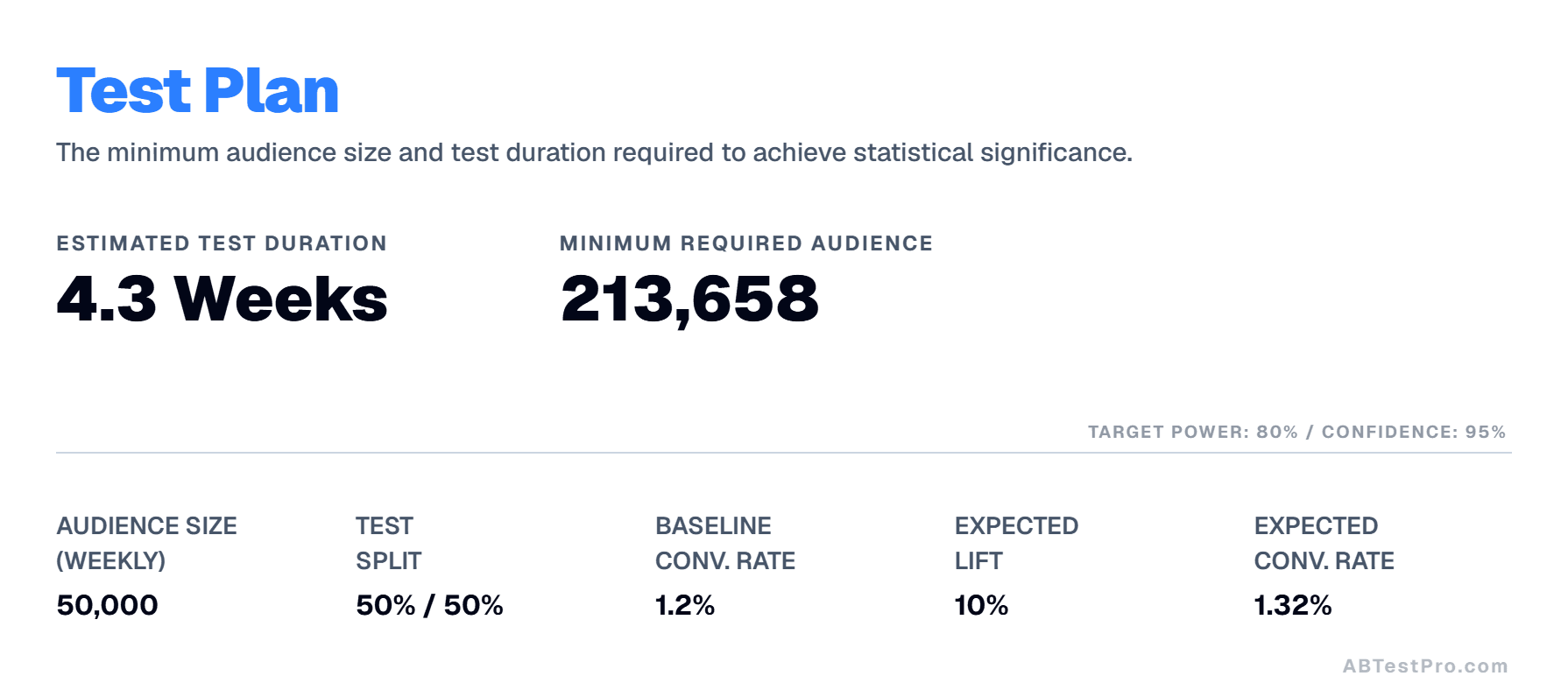
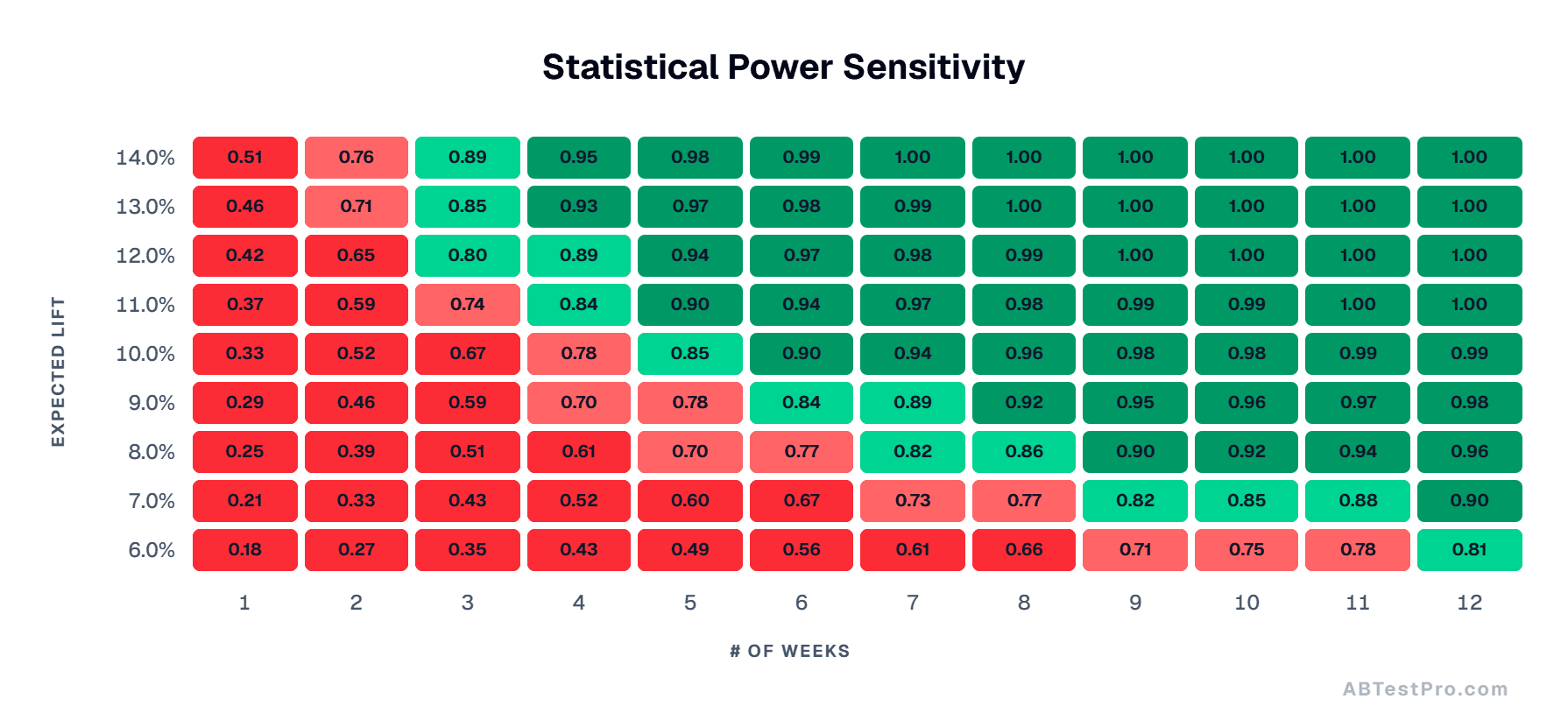
Pressure-test every scenario at a glance
A color-coded grid maps the statistical power you would reach for each combination of expected lift and weeks live. See instantly where your test becomes reliable and where it falls short.
Get a clear, honest verdict
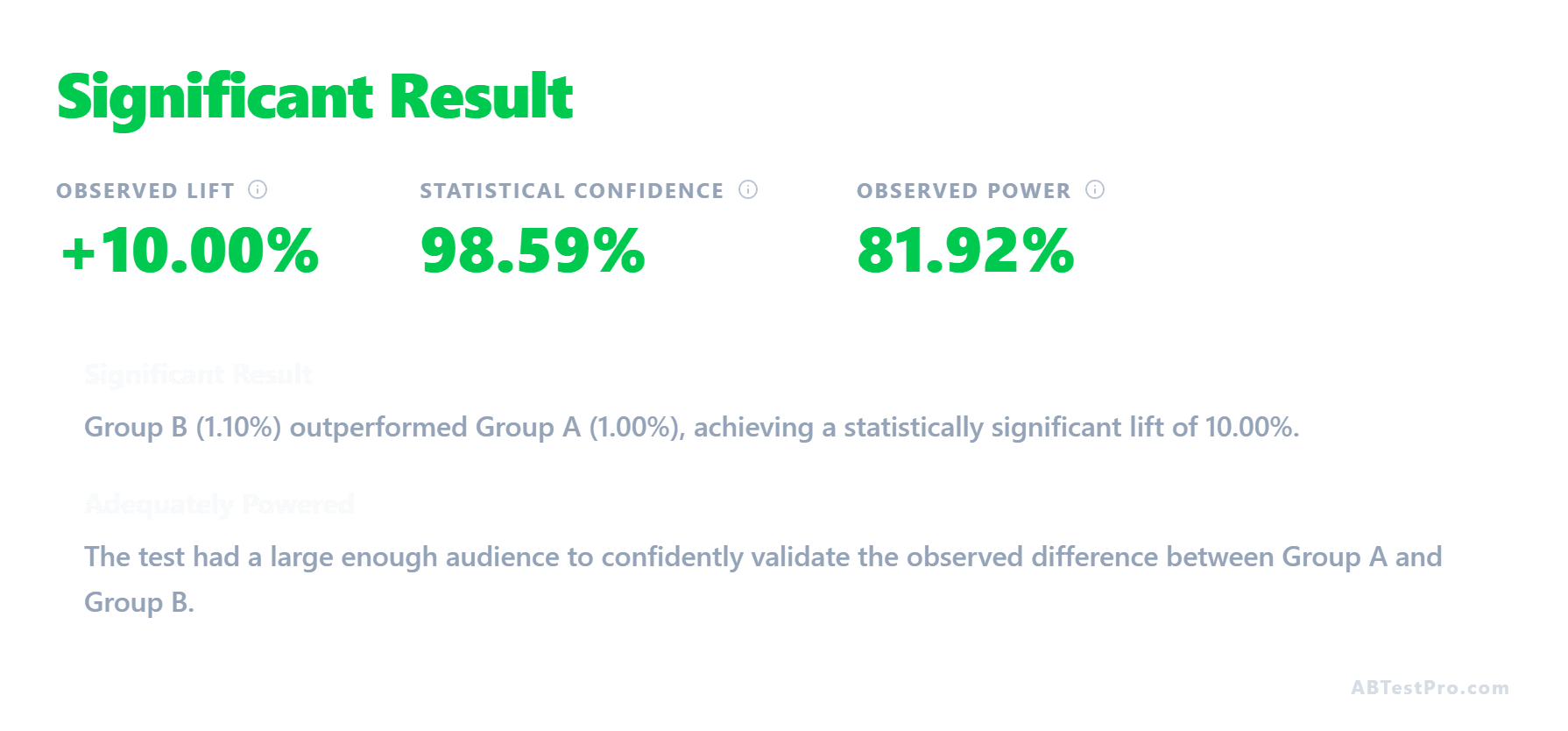
Drop in the conversions each variant actually got. You get the observed lift, statistical confidence, and p-value, plus a plain-language read on whether the test was powered enough to trust.
Open the significance calculator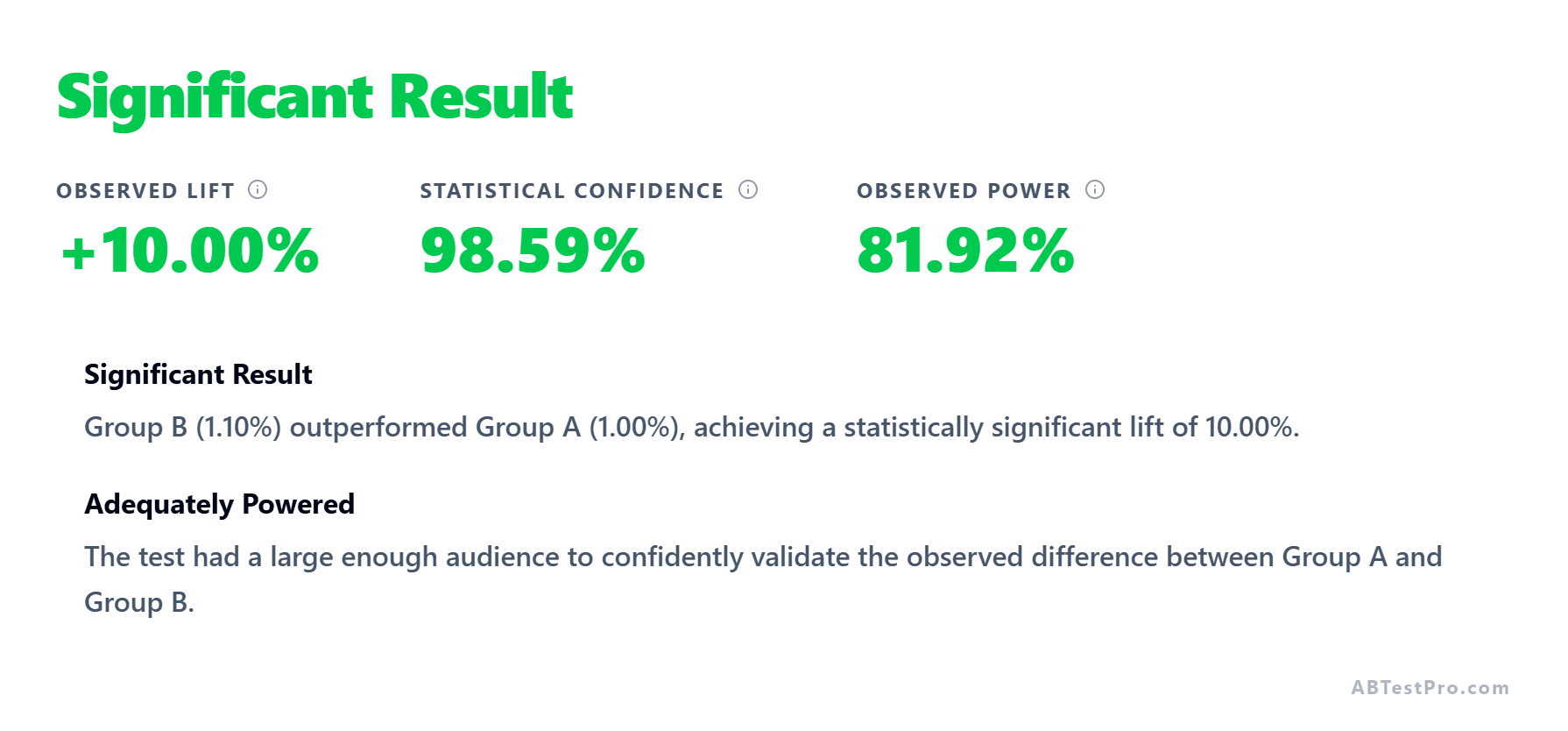
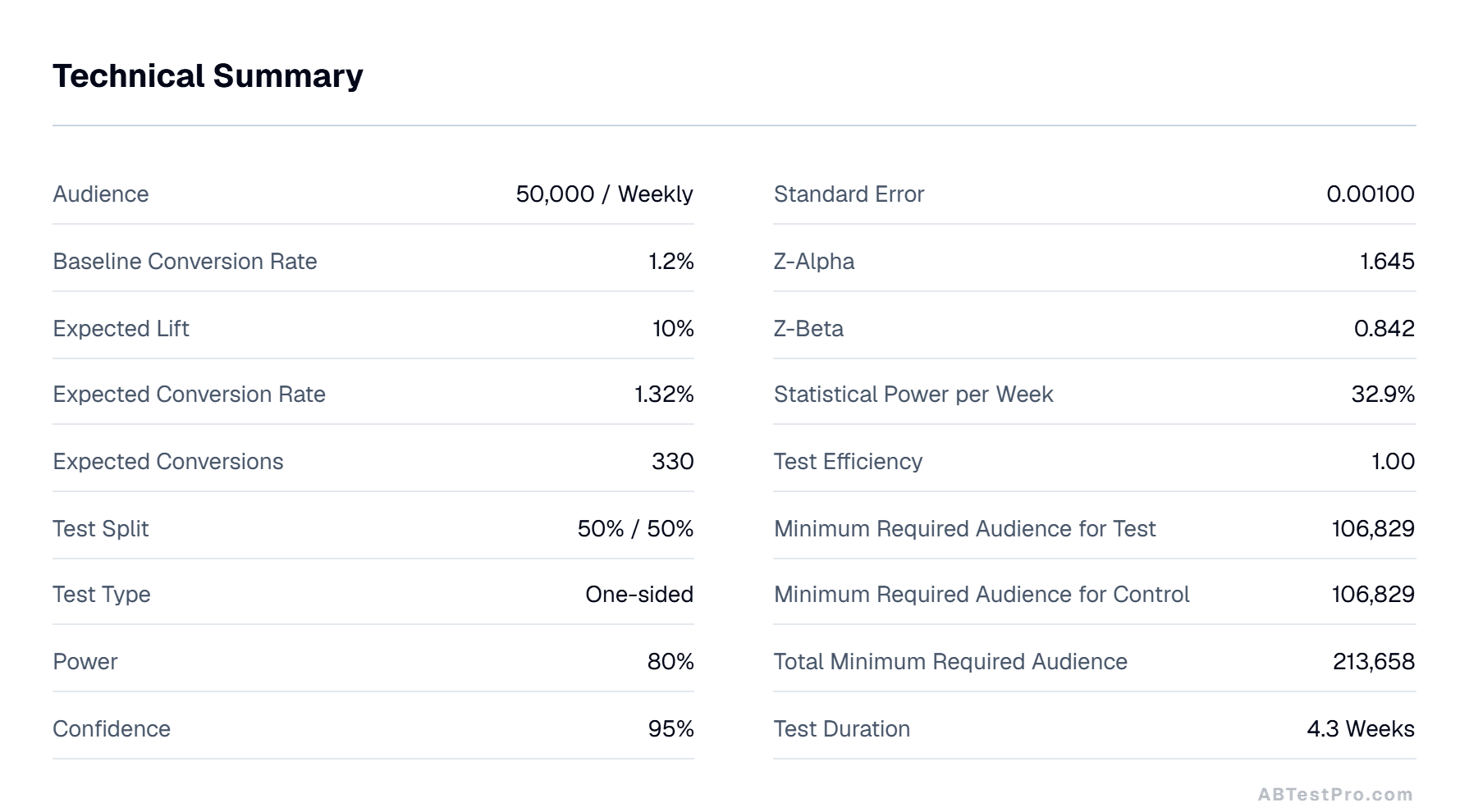
Every number, nothing hidden
No black box. Each result comes with the full breakdown: standard error, z-values, per-variation audience, and the assumptions behind them, ready to export to CSV or PNG.
Take polished results straight to your deck
One click exports any result as a transparent PNG or a raw CSV. Every calculator works in light and dark mode, so the visuals drop into your slides and match your theme.
Calculators
Three tools for every stage of your experiment
A/B Test Sample Size Calculator
Enter your baseline conversion rate and expected lift to calculate the exact sample size, estimated test duration, and a statistical power sensitivity table.
A/B/C Test Sample Size Calculator
Bonferroni-corrected sample size calculator for three-variant experiments. Accounts for multiple comparisons to keep your false positive rate under control.
Statistical Significance Calculator
Check if your test results are statistically significant. Input your observed conversions and instantly get the z-score, p-value, and observed power.
Learn
Run experiments the right way
FAQ
Frequently asked questions
How many visitors do I need for an A/B test?
It depends on three things: your baseline conversion rate, the minimum detectable effect (the smallest lift you want to catch), and your desired statistical power and confidence. The A/B Test Sample Size Calculator computes the exact number for you once you enter those values.
What is a minimum detectable effect (MDE)?
The MDE is the smallest relative change in conversion rate you want your test to be able to detect reliably. A smaller MDE requires a larger sample size, because detecting a subtle difference takes more data.
Should I use a one-sided or two-sided test?
A two-sided test is the safe default: it checks whether the variant is different from the control in either direction. Use a one-sided test only when you genuinely care about movement in one direction and accept that you cannot detect a change the other way.
When is a result statistically significant?
A result is significant when its p-value falls below your chosen threshold, for example a p-value under 0.05 corresponds to 95% confidence. The Statistical Significance Calculator returns the z-score, p-value, and observed power from your actual results.
Why shouldn't I check results before the test finishes?
Repeatedly checking ('peeking') and stopping as soon as you see significance inflates your false positive rate well beyond the 5% you intended. Decide your sample size up front and wait for it. Our guide on the peeking problem explains why.
Is my data sent anywhere?
No. All calculations happen entirely in your browser. The numbers you enter are never transmitted to our servers, logged, or stored, so there is nothing to leak.